Tuesday, 7 December 2021

Selecting the Right Visualization Technology for Emergency Operations Centres

Original Source: https://vuwall.com/av-technology-for-emergency-operations-centres/
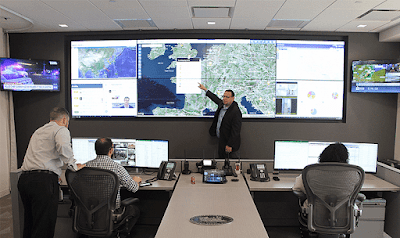


Emergency Operations Centres (EOC) are where vital decisions are made. Today, more than ever, it is essential that these centres are equipped with the most efficient, reliable, and intuitive technology to gather and interpret data, and plan and implement the best emergency responses in high-risk situations. With so much at stake, it is during the planning and design stages of these centres that selecting the right technology is most critical.

Unlike control room environments, Emergency Operations Centres are characterized by noise, bustle, and tension, with staff working intensively to respond to complex and stressful situations. It is a fast-paced environment, where providing up-to-date information to all stakeholders is crucial.

EOC’s usually consist of multiple departments (e.g. in Europe 112, emergency services, etc.) that work together. Whereas each team is responsible for specific tasks that are reflected on a central video wall, they must still collaborate and assess the entire situation together. Each group then extracts the information they need to respond accordingly. EOC’s typically use a smaller video wall than those in control rooms, but usually have secondary displays, likely LCD panels, that are installed throughout the facility.

The video wall is the central and most critical visualization element in an EOC, while the secondary screens located throughout the facility display content of specific interest to the nearby teams. The EOC is often complemented by additional workspaces such as meeting rooms, crisis rooms, conference rooms, and offices. These are used for conducting strategic meetings for planning and assessing protocols and processes. Often times, the teams in those rooms need to visualize content from the main video wall or send content from the rooms to the main video wall.

Understanding and considering the requirements for such a variety of visualization needs in different locations for a variety of use cases, is important in selecting the technology and system architecture to implement. At VuWall, we always want both our client (the integrator) and the end user, to understand the proposed workflow to ensure that it addresses their needs in the best possible way. For this reason, we like to work with our partners and customers to deliver architectural schematics that illustrate the EOC operations.


The Importance of Interoperability

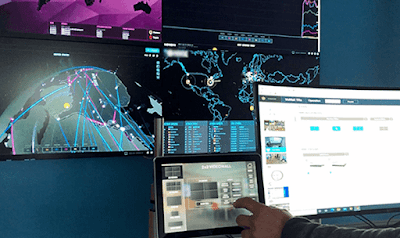
As mentioned above, Emergency Operations Centres often have multiple teams, each focused on solving specific tasks, each with their own sources of information and work tools. It is, therefore, important that these teams can instantly share information with the other teams and share the information sources with the main video wall for collaborative viewing.

This experience needs to be easy and seamless for the staff, and the only way to ensure that is to deploy interoperable technology that can easily integrate with the various tools used in different areas of the facility. This is where the need for effective video wall processing and collaboration technology comes into play, enabling users to easily view and interact with audiovisual sources and collaborate between different work areas. Whether working with the primary video wall, a secondary display, a desktop, or a display in a meeting room, the technology behind the scenes must be able to seamlessly handle (or route) sources and data from any source to any display throughout the EOC.

Manufacturers are making huge investments in developing unified visualization solutions to make their platforms interoperable and as intuitive as possible. Their objective is to provide users tools that are easy to use, quick to learn, but are also extremely flexibile and efficient. Click here to learn more about unified visualization.

EOC’s also need a robust solution to distribute source signals across all the displays in the facility with very low latency. More and more organizations are turning to next-generation AV-over-IP solutions to facilitate signal distribution to enable effective collaboration.

VuWall has been focussed on developing interoperable AV-over-IP solutions for that exact reason – to facilitate the deployment and usage of visualization systems, for the most effective distribution of visual content from any source to any display.


The Visualization Experience

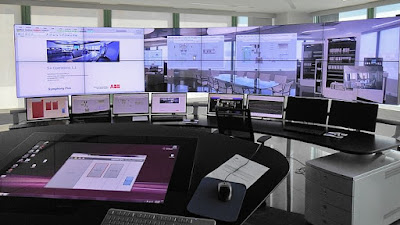
When selecting a display, visual acuity is the key consideration. This is what will allow operators and decision-makers to see what they need to see, where and when they need to see it, and respond efficiently in a timely manner. It comes down to a simple equation: you have to consider the size of the display, the distance at which the information is going to be viewed, and the type of content or source that is going to be displayed.

In other words, operators must be able to properly see the big picture, but also be able to clearly read the content and interpret any symbols or alerts from their physical location in the EOC. A resolution of 1080p may be adequate in many control rooms and Emergency Operations Centres, but there are applications where 4K (8K in the near future) is already necessary to avoid losing the ability to see important details that are displayed on a large video wall.

Consider, for example, a government intelligence centre that assesses a target area and observes information from high-resolution cameras or maps. These would include visual details that are crucial for decision-making. The size, distance, resolution and ergonomics of the video wall are important factors to consider so that operators are able to interpret situations accurately and respond appropriately.


The Mission Matters Most

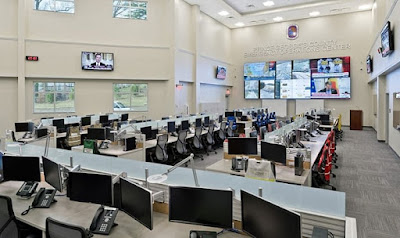
End users in Emergency Operations Centres must have high-quality tools that enable them to make well-informed decisions, especially in emergency situations. They must trust the technology: everything from the displays, the video wall processing, the collaboration tools, and of course the signal management.

For those looking to build a highly reliable and high-quality Emergency Operations Centre, I recommend working with a trusted integrator with proven experience in such environments. There is no one EOC or control room solution that works for everyone. The right technology and project design can vary considerably depending on your mission and the user’s workflow. The focus should always be to find the best possible technology that will allow operators to focus on their mission and not worry about the technology.

Thursday, 25 November 2021

Streamline Video Wall Control and AV-over-IP Distribution with Unified Visualization


Original Source: https://vuwall.com/unified-visualization-solving-avoip-challenges/

Let’s Start With the Challenges

  • Ever growing amount of information: Visual information can be collected and shared in many different ways. The challenge with the ever growing amount of information, is easily finding the relevant content and sending it to the appropriate display(s) or video wall(s).
  • Future technologies: Often, new technology solutions do not pair with legacy systems, and this necessitates an entirely new AV system. The challenge is selecting future-proof solutions that integrate with new technologies but continue to work seamlessly with existing legacy systems.
  • Application changes: Technology should support constant change, whether environmental, seasonal, new staff or new conditions. The challenge is creating a system that is agile, flexible and easy to adjust without needing to reprogram the system.
  • User experience: Different users interact with technology differently. The challenge is integrating technology that allows for a customized user experience without requiring a trained programmer to support the system. This is especially important in environments with a wide range of users, such as teachers, students, operators and supervisors.

Corporate offices, higher education campuses and control room environments are common multi-room ecosystems. The spaces often include conference rooms, training rooms, control rooms, crisis areas and private office spaces. Information sources need to be available and accessible for the different display solutions in each room. The problem is that the technical requirements in each room are often different.

How Do We Solve These Challenges?

With a central visualization system that provides content management across a multi-room ecosystem. VuWall’s VuTrex technology bridges the gap between AV, IT and IP systems with a modular, hybrid and scalable architecture. The VuTrex technology is at the core of VuWall’s TRx software, which addresses our challenges above. Here’s how:

  • Hybrid functionality: TRx supports various source types and display formats to create a solution for seamless content management.
  • Scalable design: The modular architecture is designed to seamlessly support future deployments.
  • Unified platform: Users can easily manage and control encoders, decoders and other third-party devices with TRx, a single centralized platform.
  • Simplified programming: TRx eliminates traditional programming and enables users to easily configure content with drag-and-drop operations.
  • High-level interoperability: TRx provides seamless integration that reduces the traditional deployment time and risk.
  • Open architecture: Third-party devices, including H.264, NDI|HX and SDVoE, are supported by TRx.

Watch this 90 second video and learn about the power of VuTrex and TRx and how it works


So What Is Unified Visualization?

It is the concept of providing an integrated solution with a single system or platform that can configure, control and manage all the visual content throughout your organization, that can handle any type of video source (web, media file, apps, RSS feeds, live IP cameras, etc…) and route it to any display (computer screen, LED or LCD video wall, projector, TV, etc…) throughout a facility.

Just like Unified Communications (UC) is simplifying work and increasing productivity in the workplace so that employees don’t need to worry about how things work, but they just do, Unified Visualization has the same objective but in work environments where employees or audiences depend on visual information on displays or video walls. Both approaches simplifying work, sheltering users from the complexity of the underlying technology, so that they can simply focus on their job.

Understanding the Workflow


The Solution: Centralized, Interoperable, Easy-to-Use Software

Powered by VuTrex Technology, VuWall’s TRx is a single software platform that can distribute AV-over-IP content and provide advanced video wall management and control. TRx is a centralized management platform for configuring and operating multiple video walls, multiviewers, encoders and decoders. The solution simplifies AV-over-IP projects with easy drag-and-drop options and without the need for any programming. Thanks to VuTrex, TRx provides a modular solution, future-proofing video wall deployments.

Watch this video to discover TRx


Additional Resources

Wednesday, 24 November 2021

VuWall Appoints Fadhl Al-Bayaty as Director of Product Management


Original Source: https://vuwall.com/vuwall-appoints-fadhl-al-bayaty-as-director-of-product-management/

Al-Bayaty to Spearhead Consolidated Product Management Efforts for the Entire VuWall Line

MONTREAL — Nov. 3, 2021 — VuWall, a technology leader in video wall control systems and unified visualization solutions, today announced the appointment of Fadhl Al-Bayaty as director of product management. This new leadership position will be focused on consolidating the company’s software and hardware product strategy, ensuring cohesive and harmonious growth.

“Fadhl is the ideal choice to break new ground in leading product management efforts for our entire line,” said Paul Vander Plaetse, founder and CEO of VuWall. “He comes to us with a deep knowledge of the industry, years of relevant experience and a hands-on approach that will make an immediate impact. We are thrilled to welcome Fadhl to our growing team.”

Al-Bayaty has a master’s degree in software engineering from Concordia University. He was formerly with Matrox, serving in a progression of roles including applications engineer, product manager and business development manager.

In his leadership role, Al-Bayaty will head product strategy for the entire life cycle of every product in VuWall’s ecosystem, ensuring interoperability between all products as well as many third-party solutions. He will be responsible for maintaining the product vision and strengthening the VuWall product roadmap with innovative solutions that increase productivity and enhance visualization experiences in control rooms and corporate workspaces. Al-Bayaty will also play an important role in product marketing efforts, working in collaboration with the marketing team for product launches and educating the market on new technology and solutions.

“I have always been so impressed with VuWall’s innovative solutions and company culture,” said Al-Bayaty. “I am very excited to be joining such a talented and passionate team in a position that will allow me to take my career to the next level. I am grateful for this incredible opportunity, and I look forward to accelerating the company’s growth even further.”

Al-Bayaty is VuWall’s latest hire of many in the last 12 months, contributing to a 20% growth in staff, both in their Montreal and German office as well as in their U.S.-based sales office.

More information about the company and its products is available at www.VuWall.com.

Saturday, 20 November 2021

Key Considerations for Reliable Video in Control Rooms with SDVoE Technology

Original Source: https://vuwall.com/reliable-video-in-control-rooms-with-sdvoe-technology/

Control room design has evolved with a recent convergence of AV and IT technologies. Control rooms are gathering more data and integrating new tools and applications to streamline productivity. It’s not just as simple as implementing new tools or applications to process the data, though. As more tools and applications are integrated, the technology needs for video management systems, controllers and extenders have increased. Software Defined Video over Ethernet (SDVoE) technology is revolutionizing the convergence of AV and IT in control rooms.

What is SDVoE?


SDVoE is a standardized technology utilizing Ethernet to transport audio and video signals in professional AV environments. SDVoE technology creates a high-performance, zero-latency, software-based AV-over-IP platform which can enable many applications including, matrix switches, KVM extenders, video wall controllers and image processors, to unite seamlessly.

SDVoE can create a unified ecosystem of technology; meanwhile, reduce the number of hardware devices. SDVoE technology provides a unique value to control rooms.

Here are three key considerations:

1. Improved Security and Reliability

Control rooms, especially in mission-critical environments and security operations centers, require stringent encryption techniques. The encryption techniques are utilized to protect the security of data transmitted over networks. In addition, the systems need to be reliable to reduce any downtime for failures and outages; meanwhile, keep the systems fully functioning during an outage. An SDVoE solution provides unparalleled security and reliability by utilizing stream encryption for a non-intrusive, secure connection. It replaces a PC- or Windows-based wall processor to create a system that reduces cyber attacks and tampering threats.

2. Unparalleled Quality

High-quality video resolution supports the rapid analysis of evolving situations and real-time decision-making. Today, many video display solutions extend from desktop screens to large video walls to support better collaboration; meanwhile, multiple displays at smaller desks help operators visualize more information and improve operation. The importance of visualization for monitoring and decision-making in a control room environment has crucial implications in the choice of a system’s video quality and content distribution capabilities. SDVoE promotes the highest quality video resolutions by eliminating typical compression to reduce video quality to support zero latency. SDVoE’s technology eliminates the need for compromise. It allows the transport of high-quality images.

The SDVoE technology also acts as a high resolution video extender, thus eliminating the need for long video cables, which come with more risk to alter high resolution. Without the need for long cables, SDVoE technology better preserves the integrity of signals between the source and the destination.

2. Streamlined Workflows

In mission-critical scenarios, the operator’s ability to quickly diagnose, react and resolve abnormal situations is critical to the overall workflow. Integrating SDVoE technology with a simple to use management software promotes streamlined workflows to increase collaboration. Operators can monitor content exactly when and where they need it. The content can be shared securely throughout the organization, from the control room to a huddle room. An easy-to-use audio and video control system can reduce stress levels, increase productivity and support faster decision-making. Utilizing a single keyboard and mouse, operators can quickly access all relevant information to make informed decisions and resolve incidents.

Conclusion

Control rooms are fast-paced and high-pressure environments with many technological challenges; meeting the challenges efficiently requires a higher level of technical innovation. Most importantly, Operators shouldn’t have to worry about technology. They should grab any visual content, whether a camera, an application, or a dashboard, and easily display it on any surface.

Today, VuWall is an industry-leading choice for control room professionals. Leveraging VuWall’s TRx with any SDVoE provides reliable management of AV-over-IP content for any source to any type of display or video wall. Powered by VuTrex Technology, TRx is an innovative centralized management platform for configuring and operating multiple video walls, multi-viewers, encoders, and decoders. TRx simplifies the deployment of complex AV-over-IP projects without the need for any programming.

Additional Resources

Wednesday, 27 October 2021

3 Ways to Increase Productivity in the Control Room

original source: https://vuwall.com/3-ways-to-increase-productivity-in-the-control-room/

Control rooms act like the central nervous system of a facilities. It’s where critical decisions, using complex systems, are made every day. In order to optimize those decisions, operators must be comfortable in their work environment and be equipped with the right tools. This article highlights three key elements to consider in the design of a control room in order to improve operator productivity. How does increased productivity translate into a control room environment? It can be defined as the operator’s ability to quickly diagnose, react and resolve abnormal situations in a timely manner. It’s the operators’ ability to detect a problem before a critical point is reached. There are two principal operation modes in a 24/7 control room environment:

Anticipation and Prevention: In control rooms, operators spend most of their time anticipating and preventing critical events from happening. Processes are frequently re-evaluated and adjusted accordingly. To increase productivity in this mode, operators need to stay alert at all times and equipped with the right tools to easily adjust their processes.

Crisis Management: When critical events occur, operators become the frontline of the situation and are expected to properly manage and respond to those high-pressure situations. At this stage, their productivity relies on their ability to quickly respond and react in a timely manner.

Here are the 3 Key Considerations that are essential to increasing control room productivity:

1. Ergonomic Control Room Consoles

Control room operators have highly demanding roles monitoring, controlling, and making daily decisions about complex systems. Considering that most control rooms operate 24/7, 365 days per year, custom-built and ergonomic control room consoles are required to reduce distractions and minimize the risk of human error.

Make Them Stand for Themselves

Operators are often subject to higher stress, fatigue, and anxiety. This is why ergonomic consoles are designed with height-adjustable surfaces to allow operators to stand up, stretch and adjust their work area as they feel. The memory presets on the sit/stand controller also allow for a faster transition during shift changes as they can be preprogrammed to different heights. Another advantage of height-adjustable workstations is their versatility. For instance, people that are shorter, taller, or with disabilities will have access to the same level of comfort at work. Recognizing the importance of human factors and the need to improve the well-being of operators will help improve response times during critical events.

Give Them Space

Having a clutter-free work environment is a determinant factor to ensure that operators are focused on their job. No phones, no gadgets, no sheets of paper, or other unnecessary objects on the work surface allow for a distraction-free environment. Additionally, dual surface consoles offer the greatest flexibility for users as the primary surface serves as the main workspace, and the secondary surface serves as the support for the monitors. The result is more space to work on. Dual surface consoles also offer a more comfortable work environment as users can set the position on the primary work surface to comfortably place their forearms, and set the second surface to have a comfortable line of sight to look at the monitors. Additionally, providing operators with storage space to keep their personal belongings and accessories will not only make their workstation more clutter-free, but it will also make the operator feel as they “own” a part of the console.


Make Them Feel Warm

The majority of the complaints in a workspace are related to the ambient temperature and can greatly affect the performance of operators. The reality is that we all respond differently to the temperature in a work environment. As external temperatures fluctuate, our internal body heat will also naturally react and adjust. Most often, the temperature in a facility is centrally controlled and cannot be regulated by operators individually. The personal environment system is a user-friendly touch display that allows operators to set their preferred temperature and lighting directly on their console. With the single touch of a button, operators can choose cool air or a steady flow of heat distributed either above or below the work surface.

Another important aspect to consider when designing the control room floor layout is the way in which consoles are arranged within the space. It is important to take into account both tangible and intangible factors to maximize the workflow of the people in the room. Tangible factors include elements like the furniture dimensions, cable management, and monitor sizes. On the other hand, intangible elements include things like noise, lighting, colors, and the overall atmosphere of the room. Consoles should be positioned to encourage team collaboration, and when applicable, have a clear line of sight to the video wall.

2. Centralized Visualization and Video Wall Management

Envision a scenario where a fully integrated control room facility has synchronized all of its systems in one location to unify efforts during a disaster or major event. The ability for an operator to control any content on the video wall, such as security cameras, media feeds, and geo-mapping location data, is critical to help promote a safer and more accurate response in the field. A centralized, integrated and interoperable video wall control system enhances the efficiency of teams to work independently and collaboratively with increased visibility on other stakeholders.

A Single Central Platform? Easy!

Traditionally, the video wall was used as a static display. In the modern control room, the video wall is a dynamic working tool. Operators expect to manage the video wall with the same user experience as they manage their desktops. It must feel like an extension of their desktops. For that, it’s important for solution providers to alleviate the complexity of the technology from the operators so they can focus on their mission in order to increase responsiveness and critical decision-making.

The least amount of tools required to configure, manage and control all visual content in a control room, the better. Ideally, operators only want to learn ONE user interface for all of their visualization needs, whether to control their desktop or the video wall. Of course, such an interface must:

  1. Be simple and intuitive in order to reduce operator training and allow him to easily configure and operate all his visualization needs, thus increasing his efficiency.

  2. Requires no programming. Offer an easy drag and drop interface that doesn’t require any programming to create presets and launch them from a control panel. This way, anybody can do it.

Focus On The Mission, Not The Technology.

Operators shouldn’t have to worry about technology. They should be able to grab any visual content, whether a camera, an application, or a dashboard, and easily display it on any surface. You would think that’s really obvious, but few video wall controllers are able to process IP, AV and IT sources simultaneously while handling display surfaces of different resolutions and aspect ratios. This functionality is called hybrid technology: grabbing any source type and visualizing it on any display. Watch the video to learn more.

3. Automation and Unattended Monitoring

The biggest challenge in control rooms is the increasing amount of data: the “Big Data”. With so much information to process, it is impossible for the human eye to catch it all. That’s where automation comes in. Anything that can be automated, should be, in order to increase productivity in control rooms. You can start by reducing repetitive tasks and manual processes. But more importantly, how do you react to alarms and alerts faster? By seeing the most critical sources of information quicker while keeping a birds-eye view of the situation. Here are two ways to increase productivity through visualization automation.

Unattended Monitoring

Most monitoring software systems already have some form of automation. The challenge is the automation between different systems that are not directly related, in order to trigger an event based on a combination of signals from those different systems.

  • (Example) Traffic Monitoring Center: An alarm might be triggered by a failed traffic light from a traffic light synchronization system and at the same time, a stalled vehicle in the area is detected by a video management system. This combination of events may trigger a more critical response than each of these individually. A system that can process such a combination from multiple independent systems can greatly increase productivity.

How can this be done? This is done with color detection software that is able to detect a change of color on a screen or video wall from a combination of color changes coming from multiple applications at once

Customized Automation

In a control room, you always need an easy way to program repetitive tasks such as opening a layout on a specific video wall or switching the audio signal to a specific channel, or even readjusting the video wall layouts and room lighting to work shift changes. Such commands should be easily triggered by a button on a control panel. Giving operators the freedom to change layouts and control devices with a simple touch saves time by eliminating repetitive tasks, but also reduces response times in urgent situations.


Select video wall software that has an easy way to create such macro-commands without the need for programming. The last thing you want is to have to hire a programmer every time your procedures change.

Operators and supervisors should be able to create ad-hoc fully customizable control panels as they encounter new scenarios and as work procedures evolve. The ability to create new panels with new controls anytime without having to call a programmer is key.

Conclusion

The new era of control rooms is a smarter, unified technology system that also takes into account the well-being of operators. The result is increased productivity in the control room, with fewer mistakes and a faster resolution of critical events. The effectiveness of sharing and visualizing data in a control room environment can have serious implications as operators need to have the ability to control what they see when they need to see it in order to make better and more informed decisions.

Saturday, 16 October 2021

VuWall Increasing Operational Efficiency in Command-and-Control Centers With Innovative Video Wall Control Technology at GSX 2021


Original Source: https://vuwall.com/vuwall-showcases-video-wall-technology-at-gsx-2021/

Company to Showcase Its New TRx 3.1 Centralized Multi-Video Wall Management Platform Bringing Ease of Use, Security, Automation and Flexibility to Control Room Operations

MONTREAL — Sept. 15, 2021 — VuWall, a technology leader in video wall control systems and unified visualization solutions, is gearing up to demonstrate their latest and most innovative control room technology, in partnership with Swan Island Networks, Infragard and the FBI in booth 613 at the Global Security Exchange (GSX) 2021, September 27-29, in Orlando. With the increased demand for video walls in the security market, VuWall brings a flexible, interoperable, and modular approach, simplifying video wall deployments for security professionals. VuWall solutions address the increased demand for information sharing throughout facilities with an easy-to-use platform, allowing operators to focus on their mission and not worry about the technology. VuWall solutions are already powering thousands of video walls in mission-critical control rooms globally.

“Control room operators are challenged with handling big data, multiple systems at once, and a multitude of sources and applications. They need to have access to the right visual information when it’s most important to be able to respond quickly,” said Paul Vander Plaetse, Founder and CEO at VuWall. “We have developed a single platform solution that allows operators to be highly efficient. At GSX 2021, we will demonstrate the power of our latest TRx platform, which brings a new level of automation, ease of use and ultimate control that operators have not seen before.”

At the show, VuWall will demonstrate its all-new TRx 3.1 centralized video wall management platform, its most compact high-performance VuScape VS10 video wall controller, and the VuStream 150 encoder/decoder appliance with NDI® integration. At GSX 2021, VuWall has partnered with Swan Island Networks, who will be showcasing their enterprise TX360 Global Situational Awareness Platform and TX Global Alerting Service. Both platforms draw from millions of open source (OSINT) events each month, as well as analyst-curated Intelligence Channels covering threats worldwide. They provide continuously updated Dashboards and email/text Smart Alerts.

TRx is unique in combining AV-over-IP distribution and advanced multi-video wall and KVM management in a single platform. It is used to manage and distribute any type of AV content source across any type of display or video wall with easy drag-and-drop operations. With TRx, operators can create custom control panels that can run on any mobile device, without any programming. TRx allows operators to easily share content from their desktops to any video wall or display on the network. Similarly, any content source on the video wall, a portion of the video wall or the entire video wall can be shared on any operator desktop, meeting room, crisis room or other video wall on the network.

The redesigned user interface of TRx 3.1 streamlines workflows, such as the ability to easily add new devices (device provisioning) and have faster and more efficient menu access. The new version also increases software KVM performance with a much higher frame rate for smoother rendering, audio support, and compatibility with the ADDERLink’s ipeps+ KVM-over-IP module. This allows operators to have a simple workflow for bringing PCs from segregated networks onto the video wall and controlling them from a keyboard and mouse.

Also at the show is the VuStream 150 encoder/decoder, the first in VuWall’s ecosystem of products to support NDI|HX and benefit from the high performance of this format across standard 1Gb Ethernet local area networks. This appliance can be used as an encoder or a decoder and can transmit HDMI 2.0 signals up to 3840×2160@60Hz resolution over standard networks. In addition to its NDI compatibility, the VuStream 150 also supports H.264 and H.265 streams.

Attendees will also get an up-close look at the powerful and compact VuScape VS10 video wall controller, designed for small to medium size video walls, typically deployed in Emergency Operations Centers and Security Monitoring Centers. Among the most versatile solutions available on the market, it can power up to 16 displays at a significant cost savings compared to larger controllers. The VS10 can be used to capture and manage a hybrid mix of AV, IP, and IT sources (web pages, RSS feeds, VNC), allowing them to be encoded and distributed in an AV-over-IP only infrastructure.

Attendees will also have the opportunity to learn about VuWall’s video wall control system integrations with the world’s leading security surveillance and video management platforms, including Genetec and Milestone Systems, also exhibiting at GSX 2021.

To schedule a meeting or book a demo with VuWall at GSX, visit https://vuwall.com/gsx

Thursday, 14 October 2021

VuWall Expands VuScape Family With Compact and Affordable VS10 Video Wall Controller for Control Rooms and Emergency Operation Centers


Original Source:  https://vuwall.com/compact-and-affordable-vs10-video-wall-controller/

The Powerful VS10 Features Four 4K Outputs to Power Small to Medium Size Video Walls With Up to 16 Displays

MONTREAL — Oct. 5, 2021 — VuWall, a technology leader in video wall control systems and unified visualization solutions, today announced its new VuScape VS10 Video Wall Controller. The compact and powerful VS10 is designed for small to medium size video wall deployments, powering up to 16 displays. It can be used as a destination or to capture and manage hybrid AV, IP, and IT sources, including web pages, RSS feeds, VNC, and more, allowing them to be encoded and distributed in an AV-over-IP-only infrastructure.

“As the use cases for video walls have exploded, we’ve responded in equal measure with a flexible and powerful video wall controller that solves the challenges these applications face,” said Paul Vander Plaetse, CEO of VuWall. “Whether it’s a smaller deployment needing a robust, yet affordable video controller or a large deployment requiring scalability and redundancy, the VS10 is the perfect visualization solution.”

Among the most versatile video wall controllers available on the market, the VS10 can also be used as a complete video wall processor. It features four 4K outputs, allowing it to be used as a KVM workstation; decode ADDERLink ipeps+; perform VNC network capture; integrate with Milestone and Genetec video management systems; and decode IP cameras, websites, and local applications. The compact form factor allows the VS10 to be installed directly behind displays in scenarios where space is an issue. Easy to install, and with inventory to store, it can be replaced on the fly.

For more information on VuWall full line of VuScape video wall controller, visit vuwall.com/products/vuscape

Unified Visualization and Video Wall Control across Campuses in Higher Education

Original Source:  https://vuwall.com/unified-visualization-in-higher-education/ Consolidating Visualization Management Across Higher Ed Camp...